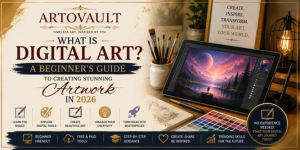
In today’s creative world, art is no longer limited to paper and canvas. With the rise of technology, artists are now creating breathtaking masterpieces using screens, styluses, and software. This modern form of creativity is known as digital art.
Whether you\'re a complete beginner or someone curious about the digital art space, this guide will help you understand everything you need to get started.
What is Digital Art?
Digital art is any form of art created using digital tools such as computers, tablets, or smartphones. Instead of traditional brushes and paints, artists use software and devices to bring their imagination to life.
From illustrations and animations to 3D models and AI-generated visuals, digital art covers a wide range of styles and techniques.
Types of Digital Art?
1. Digital Painting
Digital painting mimics traditional painting but is done using software. Artists use brushes, textures, and layers to create stunning visuals.
2. Vector Art
Vector art uses mathematical paths instead of pixels, making it perfect for logos, icons, and scalable designs.
3. 3D Art
3D art involves creating objects in three-dimensional space, commonly used in games, movies, and product design.
4. Pixel Art
Pixel art is a retro style made using tiny squares (pixels), often seen in old-school video games.
Tools Needed for Digital Art
To start your digital art journey, you’ll need:
- Device: Computer, tablet, or smartphone
- Drawing Tablet: Optional but recommended
- Software: Apps like drawing or design tools
- Stylus Pen: Helps with precision and control
How to Start Digital Art (Step-by-Step)
- Choose Your Device – Start with what you have
- Download Software – Try beginner-friendly tools
- Learn Basic Skills – Practice shapes, shading, and lines
- Follow Tutorials – YouTube and blogs help a lot
- Practice Daily – Consistency is key
Benefits of Digital Art
- Easy to edit and undo mistakes
- Unlimited colors and brushes
- No need for physical materials
- Easy to share online
- Great career opportunities
Digital Art vs Traditional Art
| Digital Art | Traditional Art |
|---|
| Uses software | Uses physical materials |
| Easy to edit | Hard to correct mistakes |
| Portable | Requires supplies |
| Fast workflow | Time-consuming |
Tips for Beginners
- Start simple, don’t aim for perfection
- Practice daily, even for 20 minutes
- Study other artists’ work
- Experiment with different styles
- Stay consistent and patient
Digital art is an exciting and accessible way to express your creativity. With the right tools and consistent practice, anyone can become a digital artist.
The best part? You don’t need expensive equipment to start—just passion and dedication.












Jacky Chan
Since 2012
Lorem ipsum dolor sit amet consectetur adipisicing elit.
December 4, 2020 at 3:12 pm
ReplyAna Rosie
Since 2008
Lorem ipsum dolor sit amet consectetur adipisicing elit.
December 4, 2020 at 3:12 pm
ReplySteven Keny
Since 2010
Authentic and Beautiful, Love these way more than ever expected They are Great earphones
December 4, 2020 at 3:12 pm
Reply