














Discover the best free drawing tools in 2026. Explore top apps like Krita, MediBang, and Sketchbook for digital art beginners and professionals.
Happy Mother's Day. Big Sale Up to 40%
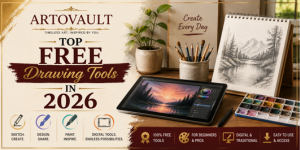
Discover the best free drawing tools in 2026. Explore top apps like Krita, MediBang, and Sketchbook for digital art beginners and professionals.
Krita is one of the most powerful free drawing software available today.
Why it’s great:
Krita is widely considered the strongest all-around free tool for artists
Perfect for comic creators and storytellers.
Key features:
Great choice for manga and webtoon artists
A simple and fast drawing tool for beginners.
Why choose it:
Ideal if you're just starting your digital art journey
A clean and intuitive app for sketching anywhere.
Highlights:
Perfect for quick sketches and daily practice
Best for logos, icons, and scalable designs.
Features:
A strong alternative to paid vector tools
These tools provide flexibility depending on your art style
Choose based on your goal:
Start simple, stay consistent, and let your creativity grow.
Discover expert insights, collecting guides, conservation tips and inspiring stories from the fascinating world of fine art.





Jacky Chan
Since 2012
Lorem ipsum dolor sit amet consectetur adipisicing elit.
December 4, 2020 at 3:12 pm
ReplyAna Rosie
Since 2008
Lorem ipsum dolor sit amet consectetur adipisicing elit.
December 4, 2020 at 3:12 pm
ReplySteven Keny
Since 2010
Authentic and Beautiful, Love these way more than ever expected They are Great earphones
December 4, 2020 at 3:12 pm
Reply